
Coworking Day Passes in Manhattan: What to Compare Before Booking
A one-day workspace guide for Manhattan visitors and remote workers: compare what you can actually book, when you can enter, how calls work, and when a free library or quiet café is enough.


⚡ At a Glance Overview
Which Manhattan day-pass setup actually fits your workday?
Compare the product you can book today, not old coworking rankings. Prices, hours and access rules below were checked against operator-owned pages on September 9, 2026.
| Option | Current access / price signal | Calls | Guests | Hours | Best fit | Official source |
|---|---|---|---|---|---|---|
| WeWork On Demand | Pay-as-you-go desk bookings in Manhattan. Current Manhattan listings reviewed for this guide start at $39/day, with some buildings showing $49/day. | Desk bookings include common areas and phone booths. WeWork house rules ask members to limit booth use to one hour at a time; a booth is not a reserved private room. | Guests are not permitted with a desk booking. Use a meeting-room booking if another person must join you inside the workspace. | Generally weekday business hours, about 9 AM–6 PM. Exact building hours and availability are shown in the app/member web. | Best default when you want a broad Manhattan location network, an app-bookable desk, Wi-Fi, coffee/tea and access to phone booths without a monthly membership. | WeWork On Demand ↗ Booking policies ↗ |
| Industrious Day Pass | Industrious currently sells coworking Day Passes for individual use. The public booking flow exposes location/date availability; use the quoted checkout price rather than an old blog price. | The company advertises professional shared workspace and general coworking amenities that include phone booths, but exact day-pass/location entitlement should be confirmed in the booking flow. | Do not assume a day pass includes guest access. If a client or teammate must join, check the current location policy or book a meeting room/private office. | The current Day Pass product states business hours of 8 AM–5 PM. | Best when you prefer a hospitality-oriented shared workspace and the exact Manhattan location/date appears in the current Day Pass booking flow. | Industrious Day Pass ↗ Day-pass location search ↗ |
| Workville | Workville currently advertises day passes/daily packages at 1412 Broadway, with Daily & Weekly Packages starting at $49. | Workville advertises phone booths plus separately bookable conference rooms; availability is not guaranteed by the day-pass price alone. | Confirm guest/client access directly before arrival. Meeting rooms and private-day options are separate products. | The site advertises flexible day passes but does not publish one universal day-pass access window on the pages reviewed; confirm the exact day with Workville. | Best when a Midtown/Bryant Park–Penn Station location fits your route and you want a smaller local operator rather than a citywide network. | Workville coworking options ↗ Workville Day Pass ↗ |
When a paid day pass is unnecessary
Stavros Niarchos Foundation Library (SNFL)
Best for: Focused laptop work, email, research, reading and a few productive hours without paying for coworking.
Limit: It is a public library, not a private-call product. Do not plan confidential or repeated video calls around general library seating.
NYPL SNFL hours and services ↗Quiet café
Best for: A short work block when you mainly need a table, Wi-Fi and coffee rather than a call-heavy office day.
Limit: Laptop policies, outlet access, noise, seating and purchase expectations vary by café and can change. Use the dedicated café guide rather than assuming any café works all day.
Quiet Manhattan cafés for workingSix checks that matter more than the brand name
- Open the exact location/date listing before paying; day-pass availability is building-specific.
- If you have confidential or back-to-back calls, treat a bookable private room as a different product from a shared desk plus phone booths.
- Do not assume an external monitor is included. None of the current general day-pass pages reviewed for this guide promise a monitor at every desk.
- If another person must join you, verify the guest rule first. A desk pass is not automatically a client-meeting pass.
- Check the day-pass access window, not the building’s 24/7 member or doorman access.
- Choose the location around your real Manhattan route—especially the meeting before or after the work block—not around a citywide “best coworking” ranking.
Verified facts that can change
Coworking day passes are location/date products. These checks keep a visitor-focused desk decision separate from stale price lists and long-term office marketing.
Current WeWork Manhattan listings reviewed for this guide show many day-pass locations starting at $39/day and some at $49/day; the exact price is building/date specific.
May change: Availability and price move by location and date. Use the final booking screen rather than this checked example as the price you will pay.
Backup: If the current desk price is not worth it, compare SNFL or a laptop-friendly café for a low-call work block.
WeWork On Demand desk bookings currently include common areas and phone-booth access, but guests are not permitted with a desk booking; a meeting room is a different product.
May change: Exact building hours and availability are booking-specific, and a shared phone booth is not a guaranteed private room at a fixed time.
Backup: If a client or teammate must join you, book the appropriate room/product instead of assuming a hot-desk pass includes guest access.
Why We Chose This
This guide covers one-day or very short-term shared workspace for a traveler or remote worker. It deliberately does not rank commercial leases, long-term offices, event-space operations, property-management portfolios, or enterprise real-estate products.
Editorial Notes & Caveats
Day-pass inventory, building hours, prices, phone-booth availability, guest rules and included amenities vary by operator, location and date. A building with 24/7 members or a 24/7 doorman does not mean a one-day desk booking has 24/7 access.
A Manhattan coworking day pass is useful when you need a professional base for one workday without buying a monthly membership. The useful comparison is not “Which coworking brand is the most luxurious?” It is whether the exact desk you can book that day gives you the hours, call setup, guest rules and location your schedule actually needs.
This guide is deliberately narrow. It covers one-day shared workspace for remote workers, business travelers and short-stay professionals. It does not evaluate commercial leases, global office portfolios, event-space operations, property management, or long-term enterprise workplace strategy.
First Decide Whether You Need Coworking at All
Pay for coworking when the day depends on reliable indoor seating, Wi-Fi, professional surroundings, repeated calls, or a long uninterrupted work block. If you mostly need to clear email for two hours, a free library or a carefully chosen laptop-friendly café can be the better decision.
For a free Midtown option, check current hours at the Stavros Niarchos Foundation Library. It is a public library rather than a private-call workspace, so use it for focused laptop work rather than a day of confidential calls.
For a shorter paid-coffee work block, use the quiet Manhattan cafés guide instead of treating every café as an all-day office.
Check the Exact Day-Pass Product, Not the Building Brand
A coworking building may offer monthly memberships, private offices, meeting rooms, event space and day passes at the same address. Those products do not share the same access rights. Always open the exact desk/day-pass product for your date before relying on the building’s broader marketing page.
Current examples are genuinely bookable: WeWork On Demand sells pay-as-you-go desks; Industrious sells coworking Day Passes; Workville advertises flexible day passes and daily packages at 1412 Broadway. That is enough choice for a visitor without turning the guide into a directory of every flex-office company in New York.

Calls: Phone Booth Access Is Not the Same as a Reserved Room
For a call-heavy day, ask two separate questions: can your desk booking use phone booths, and do you have a guaranteed private space at the exact time of the call? Those are not the same thing.
WeWork On Demand desk bookings currently include access to phone booths and common areas, but WeWork house rules ask members to limit booth use to one hour at a time. A booth remains shared inventory. If a client call is confidential, long, or cannot start late, a separately bookable meeting room or private office is the safer product.
WeWork publishes the current desk/guest rules in its On Demand booking policies.
Workstation Reality: Do Not Assume a Monitor Is Included
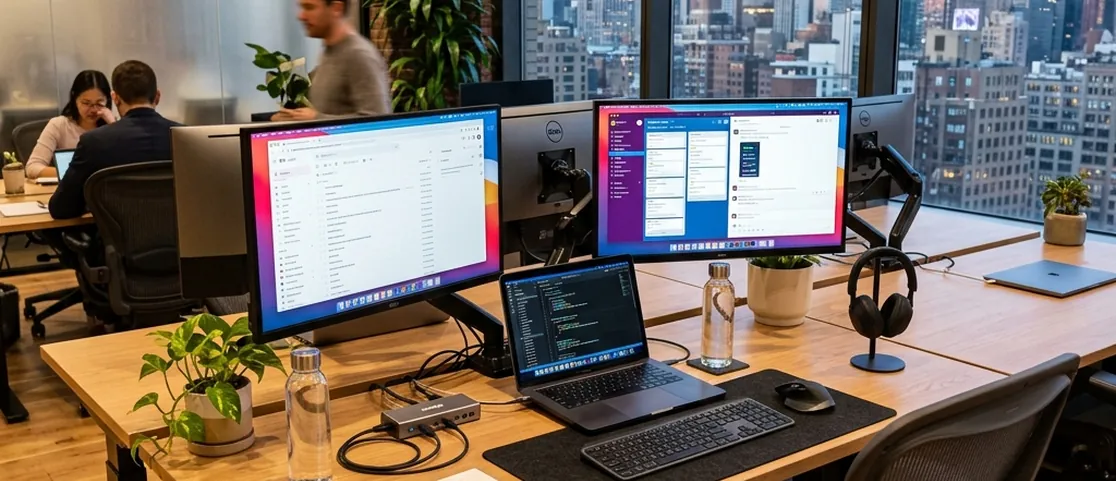
The old version of this guide treated external monitors and premium ergonomic setups as a predictable day-pass distinction. That was too broad. Current general day-pass pages from the operators checked for this guide advertise shared desks, Wi-Fi and operator-specific common amenities, but they do not promise an external monitor at every day-pass seat.
If a second screen is essential for coding, finance, design, or spreadsheet work, confirm it for the exact booking. Otherwise plan around your laptop, charger, headphones and any portable stand or screen you already carry.
Guest Rules Matter Before Client Meetings
A one-person desk pass is not automatically a place to host a client. WeWork currently states that guests are not permitted with an On Demand desk booking; a meeting-room booking is the relevant product when guests must join. Other operators use their own policies, so confirm the exact location before inviting anyone.
If the real goal is a meal-based client conversation rather than laptop work, compare Manhattan restaurants for business meetings instead.

Hours: Day-Pass Access Can Be Narrower Than Member Access
Do not infer day-pass hours from a 24/7 doorman, a monthly-member keycard, or the building’s general opening hours. The day-pass product has its own window.
WeWork On Demand currently says locations are generally available on weekdays around 9 AM–6 PM and not on weekends or local public holidays, with exact building hours shown at booking. Industrious currently lists Day Pass business hours as 8 AM–5 PM. Workville advertises day passes but the pages reviewed for this guide do not publish one universal day-pass access window, so confirm the exact day directly.
Current Bookable Examples in Manhattan
Checked September 9, 2026, WeWork’s Manhattan listings reviewed for this guide show day-pass starting prices of $39/day at many locations and $49/day at some locations. WeWork also states that pricing varies by building and date, so the booking screen—not a guide screenshot—is the price that matters.
See current Manhattan availability on the WeWork Manhattan coworking page.
Industrious currently markets Day Passes for individual use with shared workspace, lounge access, fast Wi-Fi and a hospitality-oriented setup; its booking flow is the place to check current Manhattan location/date availability and price.
Check the current Industrious Day Pass product.
Workville is the useful local-operator contrast: its current site advertises day passes/daily packages at 1412 Broadway starting at $49, plus Wi-Fi, Ethernet, phone booths, lounges/cafés/terraces and separately bookable meeting rooms. Treat those as advertised features, not a promise that a particular booth or room will be free when you arrive.
Check current Workville pricing and amenities on the Workville coworking page.
Choose the Neighborhood Around the Workday
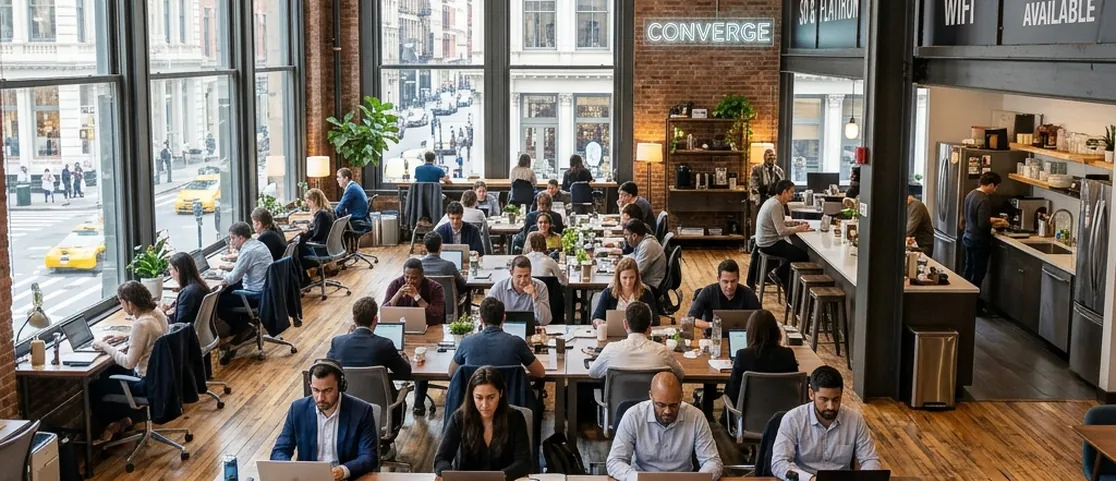
The best day-pass location is often the one that removes a cross-town trip. If you arrive at Penn/Moynihan and have a Midtown meeting later, a Midtown West desk can be more valuable than a prettier downtown lounge. If the next meeting is near Grand Central, Midtown East or Bryant Park can reduce the chance that transit eats the work block.
If you only have a gap between appointments, use Where to Work Between Meetings in Midtown before buying a full-day pass.
If a low battery is the actual constraint, keep the Manhattan phone-charging backup guide handy rather than buying workspace solely for an outlet.
The Six Checks That Matter Before You Pay
- Exact location and date availability.
- Day-pass access hours for that building.
- Phone-booth access versus a guaranteed private room.
- Guest/client rules for the exact booking type.
- Any equipment you truly require, especially an external monitor.
- Transit geography before and after the work block.
Suggested Route & Mini Plan
1. Decide whether the day is call-heavy, meeting-heavy, or mostly focused laptop work. That determines whether you need a paid coworking desk at all.
2. Choose the location around the meeting, train station, hotel, or after-work plan that comes before and after the work block.
3. Open the exact day-pass listing and verify current price, access hours, availability, phone-booth or room setup, and guest policy.
4. If a client must join or a call must remain private, reserve the appropriate meeting room/private product rather than hoping a shared booth is free.
5. If you only need a few quiet hours with Wi-Fi, compare SNFL or a laptop-friendly café before paying for a full coworking day.
Curated Alternatives
Stavros Niarchos Foundation Library (SNFL)
A strong free Midtown fallback for laptop work, research and email when you do not need confidential or repeated calls. Check current NYPL hours before going.
Quiet Manhattan Cafés for Working
Better for a short, low-call work block when a full paid coworking day would be overkill. Laptop rules, seating, outlets and purchase expectations remain venue-specific.
Frequently Asked Questions
How much does a coworking day pass cost in Manhattan?
There is no single Manhattan price. Checked September 9, 2026, current WeWork Manhattan listings reviewed for this guide start at $39/day, with some locations at $49/day. Workville advertises daily packages starting at $49. Industrious offers Day Passes but shows location/date availability and pricing through its booking flow. Always use the final price for the exact date and building you are booking.
Can I take confidential video calls on a day pass?
A shared desk does not guarantee a private room. WeWork On Demand desk bookings include access to phone booths, but the company asks members to limit booth use to one hour at a time. Other operators and locations differ. If the call is confidential, long, or back-to-back, book a private room or confirm a reservable call space rather than relying on an open booth.
Can I bring a guest on a coworking day pass?
Do not assume so. WeWork explicitly says guests are not permitted with an On Demand desk booking; guests require an appropriate meeting-room booking. Other operators have their own rules. If a client or teammate must join you, verify the exact product and location policy before paying.
Do Manhattan coworking day passes include an external monitor?
Do not assume a monitor is included. The current general day-pass pages reviewed for this guide advertise desks, Wi-Fi, common areas and operator-specific amenities, but they do not promise an external monitor at every day-pass seat. If a monitor is essential, confirm it for the exact booking or bring a portable setup.
Our recommendations are handpicked independently. No paid placement, no sponsored rankings. How we choose